15.倒序 <<
Previous Next >> 學習日記
16.密碼生成器
Password Generator 
Exercise 16 (and Solution)
Write a password generator in Python. Be creative with how you generate passwords - strong passwords have a mix of lowercase letters, uppercase letters, numbers, and symbols. The passwords should be random, generating a new password every time the user asks for a new password. Include your run-time code in a main method.
Extra:
- Ask the user how strong they want their password to be. For weak passwords, pick a word or two from a list.
Discussion
There are no new topics this week, but you will need to use Python’s random module, described in this post.
Ans.
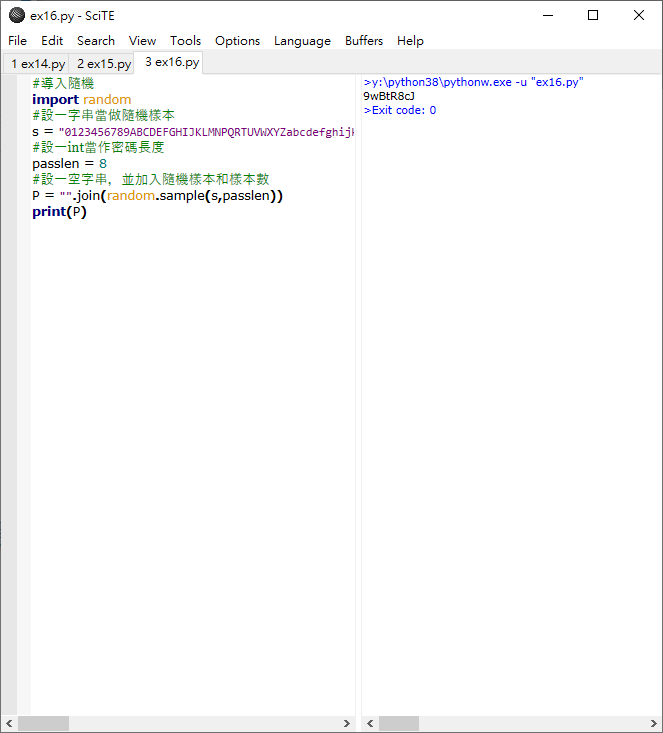
#導入隨機
import random
#設一字串當做隨機樣本
s = "0123456789ABCDEFGHIJKLMNPQRTUVWXYZabcdefghijklmnpqrtuvwxyz"
#設一int當作密碼長度
passlen = 8
#設一空字串,並加入隨機樣本和樣本數
P = "".join(random.sample(s,passlen))
print(P)
15.倒序 <<
Previous Next >> 學習日記